Items
![<a href="https://realmoffaia.com/world/items?name=[BABY II] Unusual Tort MYO" class="display-item">[BABY II] Unusual Tort MYO</a>](https://realmoffaia.com/images/data/items/tG4vfV9m6Q290-image.png)
[BABY II] Unusual Tort MYO
Permits the creation of a Tort with any unusual (or lower rarity) traits. To open the MYO ticket, follow the steps below.
- Click the item from your inventory.
- Select the checkbox on the left, and set the quantity to however many you would like to open.
- Click the top option, 'USE SLOT', then click open.
- To submit your design, access the MYO from my MYO slots.
A Tort is a baby Tortuvina, which cannot participate in all ARPG activities until it is grown up. Refer to the Design & MYO Creation Guide and Baby Guide for more information!
![<a href="https://realmoffaia.com/world/items?name=[BABY III] Rare Tort MYO" class="display-item">[BABY III] Rare Tort MYO</a>](https://realmoffaia.com/images/data/items/efuWHfOcLr291-image.png)
[BABY III] Rare Tort MYO
Permits the creation of a Tort with any rare (or lower rarity) traits. To open the MYO ticket, follow the steps below.
- Click the item from your inventory.
- Select the checkbox on the left, and set the quantity to however many you would like to open.
- Click the top option, 'USE SLOT', then click open.
- To submit your design, access the MYO from my MYO slots.
A Tort is a baby Tortuvina, which cannot participate in all ARPG activities until it is grown up. Refer to the Design & MYO Creation Guide and Baby Guide for more information!
![<a href="https://realmoffaia.com/world/items?name=[BABY IV] Legendary Tort MYO" class="display-item">[BABY IV] Legendary Tort MYO</a>](https://realmoffaia.com/images/data/items/vOd6pIJX3B292-image.png)
[BABY IV] Legendary Tort MYO
Permits the creation of a Tort with any legendary (or lower rarity) traits. To open the MYO ticket, follow the steps below.
- Click the item from your inventory.
- Select the checkbox on the left, and set the quantity to however many you would like to open.
- Click the top option, 'USE SLOT', then click open.
- To submit your design, access the MYO from my MYO slots.
A Tort is a baby Tortuvina, which cannot participate in all ARPG activities until it is grown up. Refer to the Design & MYO Creation Guide and Baby Guide for more information!
![<a href="https://realmoffaia.com/world/items?name=[BABY I] Common Riftling MYO" class="display-item">[BABY I] Common Riftling MYO</a>](https://realmoffaia.com/images/data/items/94jg1wrrh6293-image.png)
[BABY I] Common Riftling MYO
Permits the creation of a Riftling with any common traits. To open the MYO ticket, follow the steps below.
- Click the item from your inventory.
- Select the checkbox on the left, and set the quantity to however many you would like to open.
- Click the top option, 'USE SLOT', then click open.
- To submit your design, access the MYO from my MYO slots.
A Riftling is a baby Ruptour, which cannot participate in all ARPG activities until it is grown up. Refer to the Design & MYO Creation Guide and Baby Guide for more information!
![<a href="https://realmoffaia.com/world/items?name=[BABY II] Unusual Riftling MYO" class="display-item">[BABY II] Unusual Riftling MYO</a>](https://realmoffaia.com/images/data/items/Ta88VoRuKA294-image.png)
[BABY II] Unusual Riftling MYO
Permits the creation of a Riftling with any unusual (or lower rarity) traits. To open the MYO ticket, follow the steps below.
- Click the item from your inventory.
- Select the checkbox on the left, and set the quantity to however many you would like to open.
- Click the top option, 'USE SLOT', then click open.
- To submit your design, access the MYO from my MYO slots.
A Riftling is a baby Ruptour, which cannot participate in all ARPG activities until it is grown up. Refer to the Design & MYO Creation Guide and Baby Guide for more information!
![<a href="https://realmoffaia.com/world/items?name=[BABY III] Rare Riftling MYO" class="display-item">[BABY III] Rare Riftling MYO</a>](https://realmoffaia.com/images/data/items/D7Gmuqc5CK295-image.png)
[BABY III] Rare Riftling MYO
Permits the creation of a Riftling with any rare (or lower rarity) traits. To open the MYO ticket, follow the steps below.
- Click the item from your inventory.
- Select the checkbox on the left, and set the quantity to however many you would like to open.
- Click the top option, 'USE SLOT', then click open.
- To submit your design, access the MYO from my MYO slots.
A Riftling is a baby Ruptour, which cannot participate in all ARPG activities until it is grown up. Refer to the Design & MYO Creation Guide and Baby Guide for more information!
![<a href="https://realmoffaia.com/world/items?name=[BABY IV] Legendary Riftling MYO" class="display-item">[BABY IV] Legendary Riftling MYO</a>](https://realmoffaia.com/images/data/items/IWCv2Ya9Gp296-image.png)
[BABY IV] Legendary Riftling MYO
Permits the creation of a Riftling with any legendary (or lower rarity) traits. To open the MYO ticket, follow the steps below.
- Click the item from your inventory.
- Select the checkbox on the left, and set the quantity to however many you would like to open.
- Click the top option, 'USE SLOT', then click open.
- To submit your design, access the MYO from my MYO slots.
A Riftling is a baby Ruptour, which cannot participate in all ARPG activities until it is grown up. Refer to the Design & MYO Creation Guide and Baby Guide for more information!
![<a href="https://realmoffaia.com/world/items?name=[BABY I] Common MYO Egg" class="display-item">[BABY I] Common MYO Egg</a>](https://realmoffaia.com/images/data/items/I6TLL4ho6v297-image.png)
[BABY I] Common MYO Egg
Contains Common Baby MYO of choice x1.
Choices: Common Wick-Wyrm MYO, Common Luma MYO, Common Tort MYO, Common Riftling MYO
Availability
Purchaseable At:
![<a href="https://realmoffaia.com/world/items?name=[BABY II] Unusual MYO Egg" class="display-item">[BABY II] Unusual MYO Egg</a>](https://realmoffaia.com/images/data/items/7x0VioEhw5298-image.png)
[BABY II] Unusual MYO Egg
Contains Unusual Baby MYO of choice x1.
Choices: Unusual Wick-Wyrm MYO, Unusual Luma MYO, Unusual Tort MYO, Unusual Riftling MYO
Availability
Purchaseable At:
![<a href="https://realmoffaia.com/world/items?name=[BABY III] Rare MYO Egg" class="display-item">[BABY III] Rare MYO Egg</a>](https://realmoffaia.com/images/data/items/699dnaM8MH299-image.png)
[BABY III] Rare MYO Egg
Contains Rare Baby MYO of choice x1.
Choices: Rare Wick-Wyrm MYO, Rare Luma MYO, Rare Tort MYO, Rare Riftling MYO
Availability
Purchaseable At:
![<a href="https://realmoffaia.com/world/items?name=[BABY IV] Legendary MYO Egg" class="display-item">[BABY IV] Legendary MYO Egg</a>](https://realmoffaia.com/images/data/items/9h8KYMTAZK300-image.png)
[BABY IV] Legendary MYO Egg
Contains Legendary Baby MYO of choice x1.
Choices: Legendary Wick-Wyrm MYO, Legendary Luma MYO, Legendary Tort MYO, Legendary Riftling MYO
Availability
Purchaseable At:
![<a href="https://realmoffaia.com/world/items?name=[I] Common Trait Tome" class="display-item">[I] Common Trait Tome</a>](https://realmoffaia.com/images/data/items/UUXZAK9S2h29-image.png)
[I] Common Trait Tome
Allows a trait to be changed to any 1 common trait. This item is applicable to redesigns.
Availability
Purchaseable At:
![<a href="https://realmoffaia.com/world/items?name=[II] Unusual Trait Tome" class="display-item">[II] Unusual Trait Tome</a>](https://realmoffaia.com/images/data/items/gxObFyECPB30-image.png)
[II] Unusual Trait Tome
Allows the use of 1 unusual (or lower rarity) trait. This item is applicable to all species through MYO submissions and redesigns.
Availability
Purchaseable At:
![<a href="https://realmoffaia.com/world/items?name=[III] Rare Trait Tome" class="display-item">[III] Rare Trait Tome</a>](https://realmoffaia.com/images/data/items/Sdk74HdEQt31-image.png)
[III] Rare Trait Tome
Allows the use of 1 rare (or lower rarity) trait trait. This item is applicable to all species through MYO submissions and redesigns.
Availability
Purchaseable At:
![<a href="https://realmoffaia.com/world/items?name=[IV] Legendary Trait Tome" class="display-item">[IV] Legendary Trait Tome</a>](https://realmoffaia.com/images/data/items/c1oMkJ8uIN32-image.png)
[IV] Legendary Trait Tome
Allows the use of 1 legendary (or lower rarity) trait. This item is applicable to all species through MYO submissions and redesigns.
Availability
Purchaseable At:
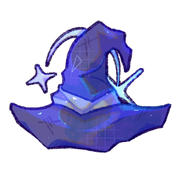
Minor Transformation Hat
Category: Design Items
When using this item, you must list it in the comments field and specify the design edit made. For example: "Minor design update #1: blue eyes -> yellow eyes. Minor design update #2: removed spots on face."
Allows the use of any 1 minor design edit (per item) from the following list via Design Update:
- Marking addition or removal (ex. adding a heart on the chest or removing stripes from the legs)
- Marking swap (ex. stripes on legs -> gradient on legs)
- Color swap on marking/feature (ex. blue horns -> pink horns)
The following edits do not require a design edit spell:
- Stylizing things like fur and build
- Re-stylizing a feature within the same trait (ex. character has custom pupils trait, heart pupils -> star pupils)
- Changing accessories and/or clothing
- Minor color changes, such as subtle tinting.
Changing Traits
To change traits, you will need to use trait spells. The design and markings should not be changed in the area where a trait is being changed without the necessary design edit spell. For example, if a character originally had rounded ears with a white tip and the rounded ears trait is changed to elongated ears, the new design’s ears should still have the same white tip.
If applying a trait that adds an entirely new feature, for example a trait that adds wings, the markings on that new feature are up to the designer (does not require a design edit item).
Availability
Purchaseable At:
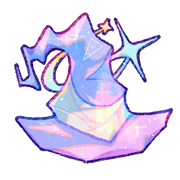
Major Transformation Hat
Category: Design Items
Allows the use of any edits (no limit on the amount of edits) from the following list via Design Update:
- Marking addition or removal (ex. adding a heart on the chest or removing stripes from the legs)
- Marking swap (ex. stripes on legs -> gradient on legs)
- Color swap on marking/feature (ex. blue horns -> pink horns)
- Changing the design's base color (ex. blue lumendra with purple stripes -> pink lumendra with purple stripes)
- Changing the shape for Lumendra lanterns or Ruptours swords (changes to coloring are included in Minor Design Edit Spell)
The following edits do not require a design edit spell:
- Stylizing things like fur and build
- Re-stylizing a feature within the same trait (ex. character has custom pupils trait, heart pupils -> star pupils)
- Changing accessories and/or clothing
- Minor color changes, such as subtle tinting.
Changing Traits
To change traits, you will need to use trait spells. The design and markings should not be changed in the area where a trait is being changed without the necessary design edit spell. For example, if a character originally had rounded ears with a white tip and the rounded ears trait is changed to elongated ears, the new design’s ears should still have the same white tip.
If applying a trait that adds an entirely new feature, for example a trait that adds wings, the markings on that new feature are up to the designer (does not require a design edit item).
Availability
Purchaseable At:

Variant Swap
Allows you to swap your critter for a variant of choice. To use this item, follow the steps below.
- From your profile, go to your pets. Click the pet you would like to variant swap.
- Scroll down, and click on the fourth dropdown that says 'Change Pet Variant'.
- In the Select Item field, select the Variant Swap item (this item). In the field below, select the variant that you would like to swap to. Check the encyclopedia to make sure you are selecting the correct variant!
- Click change variant and voila, done!
Obtained from: crafting, Critter County
Availability
Purchaseable At:

Elixir of Eternal Youth
Allows a character to retain a baby form while being functionally playable as an adult. Refer to the Baby Guide for more information on how this affects the character's gameplay. This item can be applied on both babies and adults.
Babies
- Start a design update (No growth prompts required. You cannot make changes to the design).
- In the comments field, paste the following: "Elixir of Eternal Youth: retaining baby form."
- Remove their baby subtype, or update it to the appropriate Restricted subtype if they have Restricted traits.
- Add the Eternally Youthful trait.
Adults
- Start a design update.
- Create a new babified masterlist image! If the character was aged up from the baby stage, their baby form does NOT have to be the same as their previous official baby form. Rules 1 and 2 from the Adult Design Rules apply, just in reverse.
- Update the masterlist image to a baby form. Do not include their adult form anywhere in the masterlist image.
- In the comments field, paste the following: "Elixir of Eternal Youth: returning to baby form."
- Add the Eternally Youthful trait.
Eternal Youth can only be reversed with the Elixir of Expedited Growth.
Obtained from: Serpent's Glade
Availability
Purchaseable At:
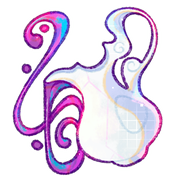
Elixir of Expedited Growth
Allows a baby character to skip all growth prompts and immediately become an adult. This item can be applied to babies, or Eternally Youthful characters (to reverse the Eternally Youthful effect and fully grow the character up).
How to use:
- Start a design update.
- Create their new adult masterlist image! Please refer to the Baby Guide for adult design rules.
- In the comments field, paste the following: "Elixir of Expedited Growth: growing up."
- FOR BABIES: Remove their baby subtype, or update it to the appropriate Restricted subtype if they have Restricted traits.
- FOR ETERNALLY YOUTHFUL CHARACTERS: Remove their Eternally Youthful trait.
Obtained from: Serpent's Glade
Availability
Purchaseable At: